Processor
Uses official Intel and AMD toolkits to find a faster stable speed. It stress-tests that speed, and skips it if your cooling cannot hold it.
Last updated 12 October 2026
Hypertune applies only the settings you turn on, does not change files inside your games, and creates a Windows restore point so you can undo its changes. It is an app for Windows and Mac from Hypertune, a US company.
Hypertune is made by COMPREADY Inc., a US company. Austin Copeland founded it in 2022. The work started as hands-on PC tuning, one machine at a time, and Hypertune is the app built from that, after an eight-month beta with more than 60,000 participants.
The app is all you need. If you would rather have one-on-one help, Expert Tuning is an optional paid add-on: a remote session where an engineer connects to your PC and tunes your BIOS and hardware by hand.
Hypertune is available for Windows and Mac. It is designed to optimize Intel and AMD processors and NVIDIA and AMD graphics cards. It reads your hardware once and applies the performance settings you choose.
Uses official Intel and AMD toolkits to find a faster stable speed. It stress-tests that speed, and skips it if your cooling cannot hold it.
Tunes your NVIDIA or AMD graphics card. The profile can raise the clock, memory clock, voltage and power limit, and it is built for your GPU.
Adjusts memory settings so RAM runs at a faster, lower-latency configuration. It does not write XMP, EXPO or DOCP.
Toggles Windows features that affect gaming. You can turn them back off in the app. Hypertune does not replace Windows.
Adjusts network settings to reduce lag and packet loss. It does not change your homepage, search engine or toolbars, and it does not redirect traffic.
Game Hub applies settings profiles for individual games. Hypertune does not modify game code and does not put files in a game folder.
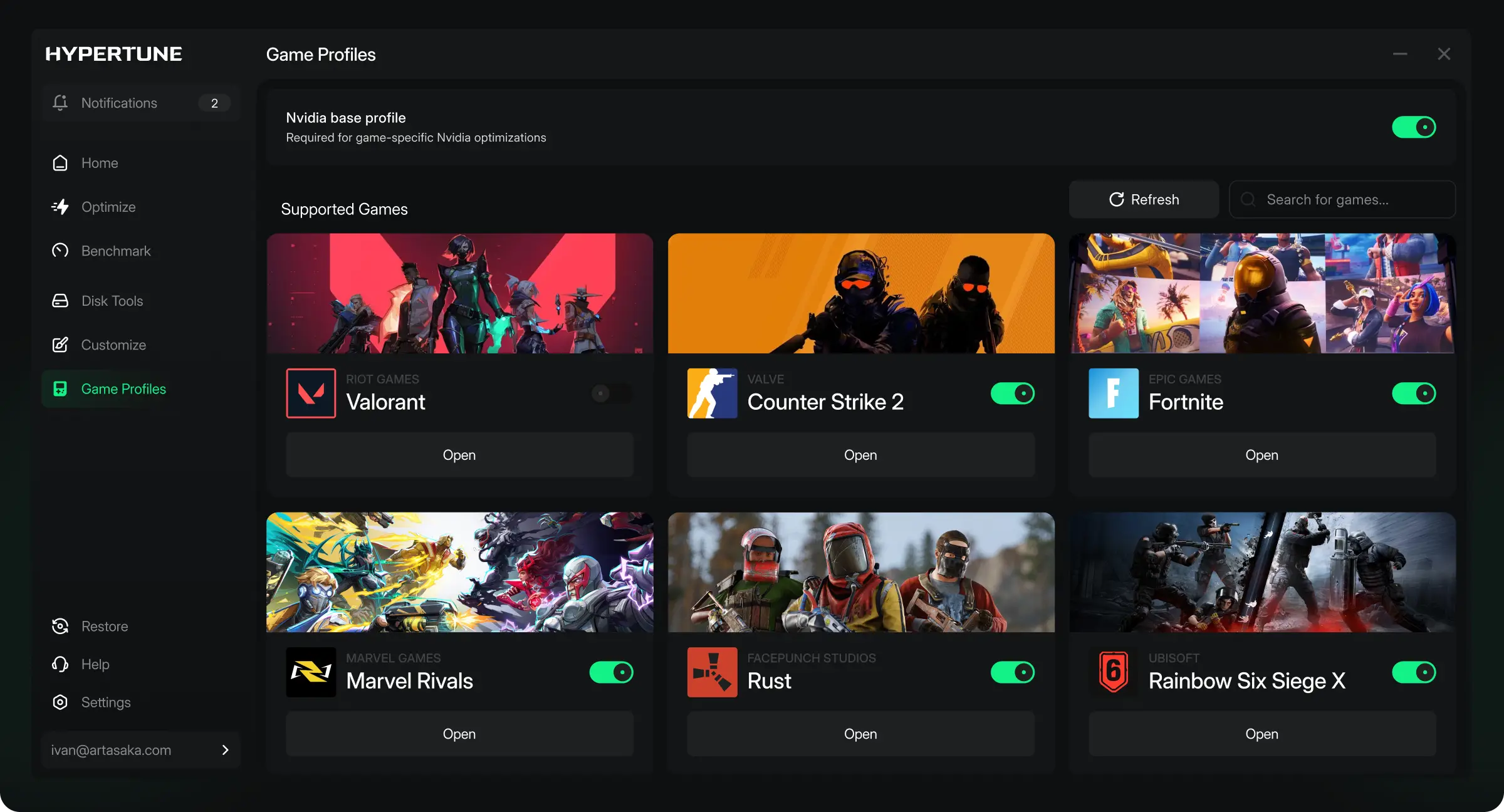
To build your profile it reads your CPU, GPU, RAM and storage type, your Windows version, driver versions that matter for tuning, and which Hypertune features you use. Windows asks for admin rights at install, because the app talks directly to your hardware. On Intel processors, CPU tuning works through Intel's Extreme Tuning Utility components.
Revert in the app. Open Hypertune and revert the optimizations you applied. This uses the restore point Hypertune created.
Then uninstall, if you want the app gone. Windows 11: Settings, Apps, Installed apps. Windows 10: Settings, Apps, Apps & features. If it is still listed, restart and repeat.
Revert before you uninstall. Uninstalling removes the app. It does not put Windows and hardware settings back.
Uninstalling does not cancel your subscription. Cancel from your account on hypertune.gg.
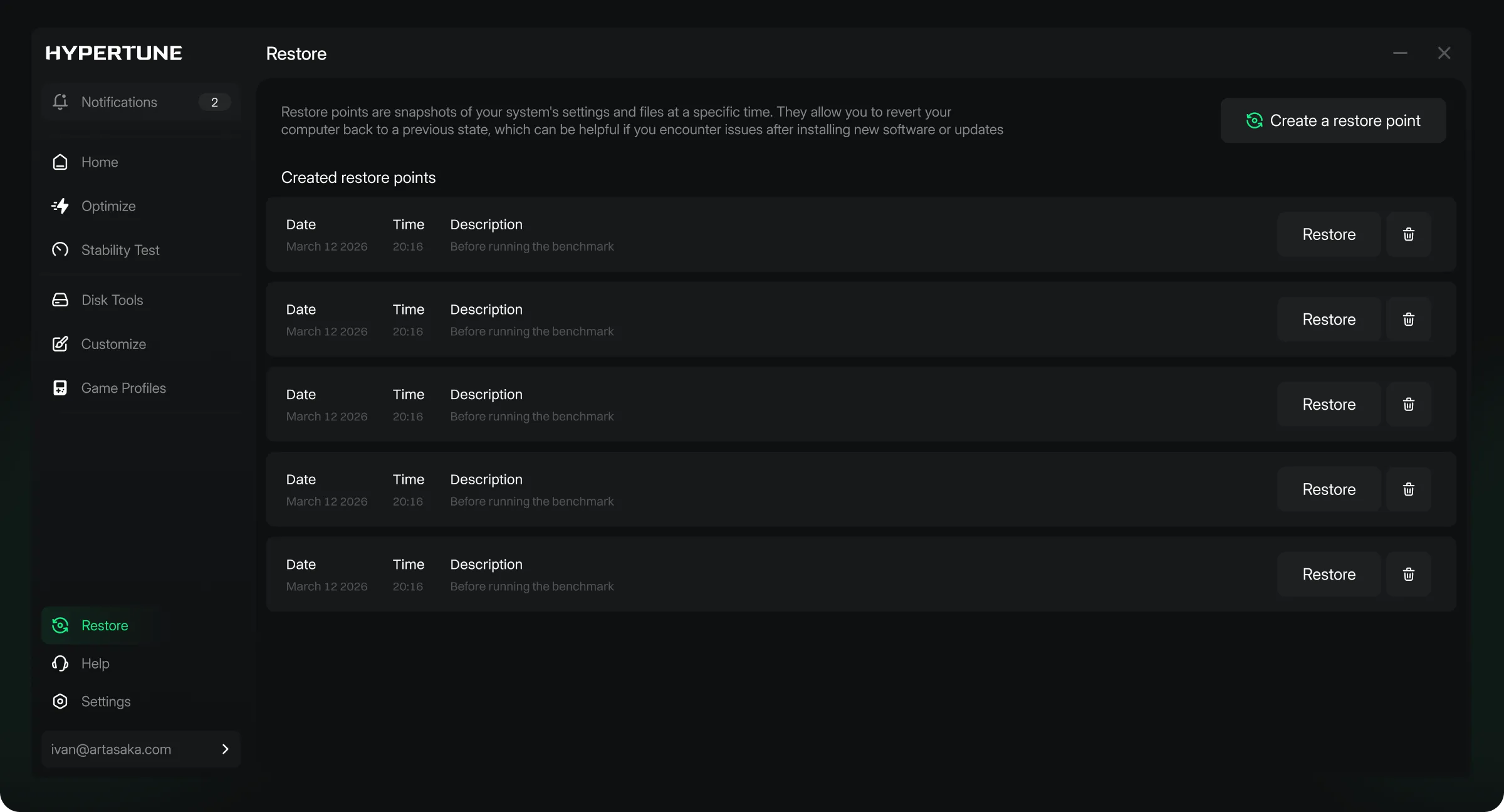
Sign in at hypertune.gg and cancel from your account dashboard at least 24 hours before renewal, or you may be charged for the next period. System logs, in UTC, are the record of when you cancelled.
$119.88$69.99 /year
$9.99 /month
On your first payment. Email info@hypertune.gg within 7 days with your name, purchase date and order details.
Renewal charges after the first period are not refundable. A refund can be refused for abuse, such as repeated requests across multiple accounts.
Subscribers already on a yearly price keep that price. Full terms are in section 29 of the Terms of Service.
On Intel processors, CPU tuning is built on Intel's Extreme Tuning Utility software development kit. Hypertune is our product, not an Intel product. On AMD processors, Hypertune uses AMD's official toolkits.
We've been so proud to work with COMPREADY on HYPERTUNE these past several months.
Download Hypertune only from hypertune.gg, after you sign in. A Hypertune crack, or any other copy, does not come from us, and we cannot say what is in it.
Name and email, account and subscription details, payment information handled by Stripe or PayPal, support messages, CPU, GPU, RAM, storage type, Windows version, driver versions that matter for tuning, and which features you use.
Personal files, browsing history, keystrokes, screen contents, or data unrelated to system performance. Hypertune does not mine cryptocurrency.
We do not sell, rent or trade your personal information. Service providers: Clerk, Stripe, PayPal, Klaviyo, Freshdesk, Sentry and hosting. If you allow marketing cookies, Google, Meta, X and Reddit may measure ads. Account, billing, support and telemetry data are processed in the United States. Email info@hypertune.gg to see, correct or delete your data, or to ask for a portable copy. Deleting the account in the portal closes billing only.
Hypertune works at the system and hardware level. It does not modify game code or inject files into your game folder.
Yes. It is a paid app from COMPREADY Inc., a US company, founded in 2022 by Austin Copeland. CPU tuning on Intel processors is built on Intel's XTU software development kit. You can reach us at info@hypertune.gg or on Discord.
GamesBeat, Tom's Hardware, KitGuru, TweakTown and HotHardware have covered Hypertune.
Whether Hypertune is good for your PC, and whether it is worth it, depends on your hardware and the games you play. It builds a profile for your setup instead of generic settings. Users see up to 60% higher FPS, and results vary. Note your FPS before, apply the features you want, compare, and use the 7-day guarantee if it is not worth it.
It applies only the features you turn on and does not edit game files. Before an overclock it stress-tests your hardware and skips the change if your cooling cannot hold it. It creates a restore point so you can revert in the app.